Plant Managers
- Behaviors
- Coordinate staffing, check attendance, and respond to shift changes.
- Goals
- Keep shifts covered and resolve timekeeping issues early.
- Pain
- Missed punches surfaced late, making them harder to verify and fix.
I designed a shared information system for manufacturing operations. The worksite displays help workers correct timekeeping issues. They also communicate assignments, attendance and production status.
of missing time resolved the same day
invoice cleanup per cycle
faster allocation of unassigned workers
Missed badges, failed punches, and system errors regularly left worker records incomplete in daily operations.
Workers could not see their own time status. Many left the site without knowing they needed to fix anything.
Most missing time appeared about a week later while the team checked invoices.
“I need proof of attendance to approve invoices for workers. Supervisors can't remember where every worker was.”
workers with partial timesheet data
Missing timesheet data compounded into delayed invoices across every pay cycle.
allocation response time per shift
When staffing changed, it took half an hour to reassign workers: too slow for a production floor.
spent checking invoices
Agency managers spent hours calling supervisors to reconstruct worker shift information.
I interviewed workers, supervisors, staffing managers, factory leaders, and security staff at several sites. Workers often did not know when a clock-in failed. Teams found the missing time about a week later while checking invoices, when it was harder to confirm what happened.
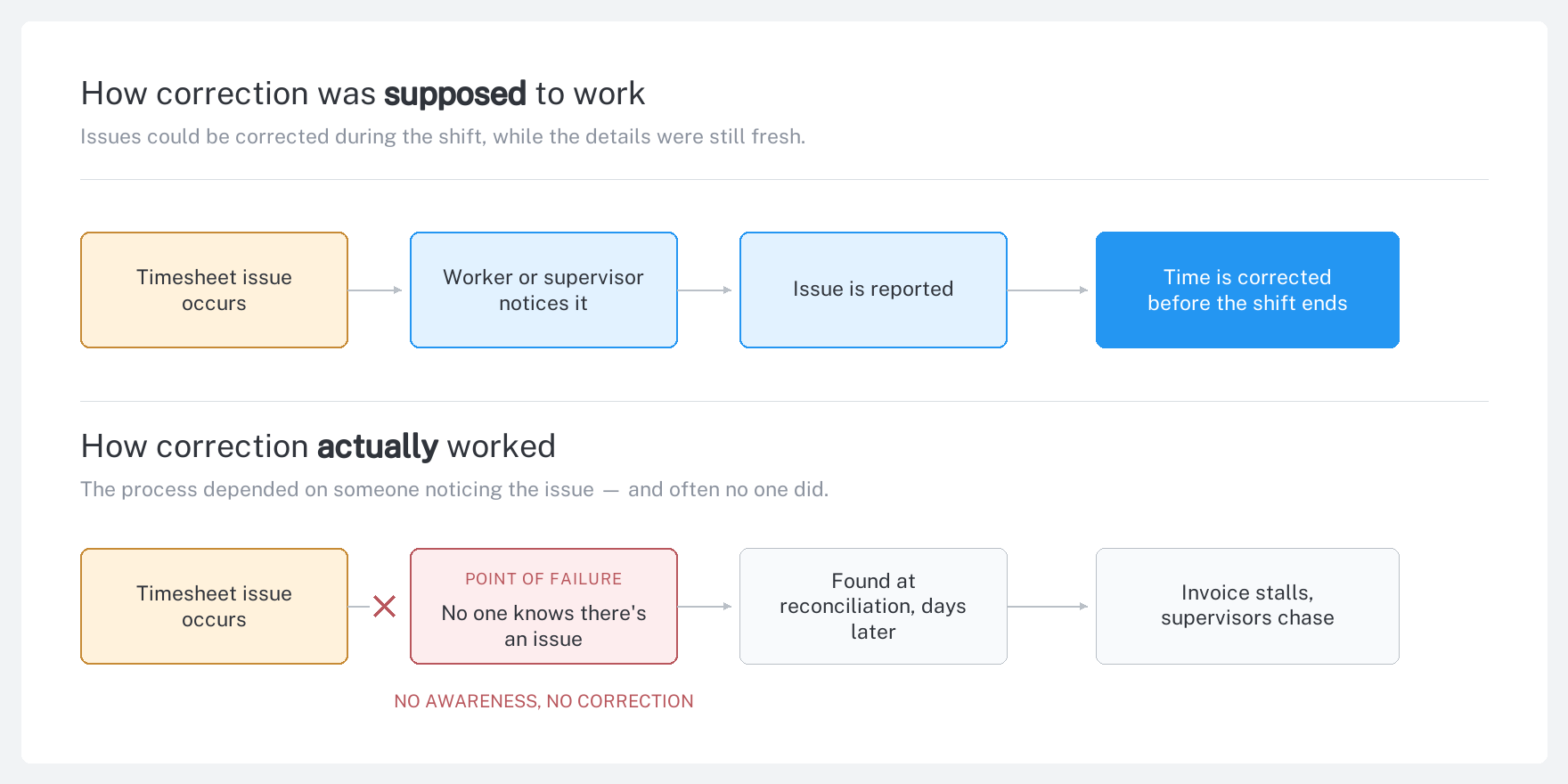
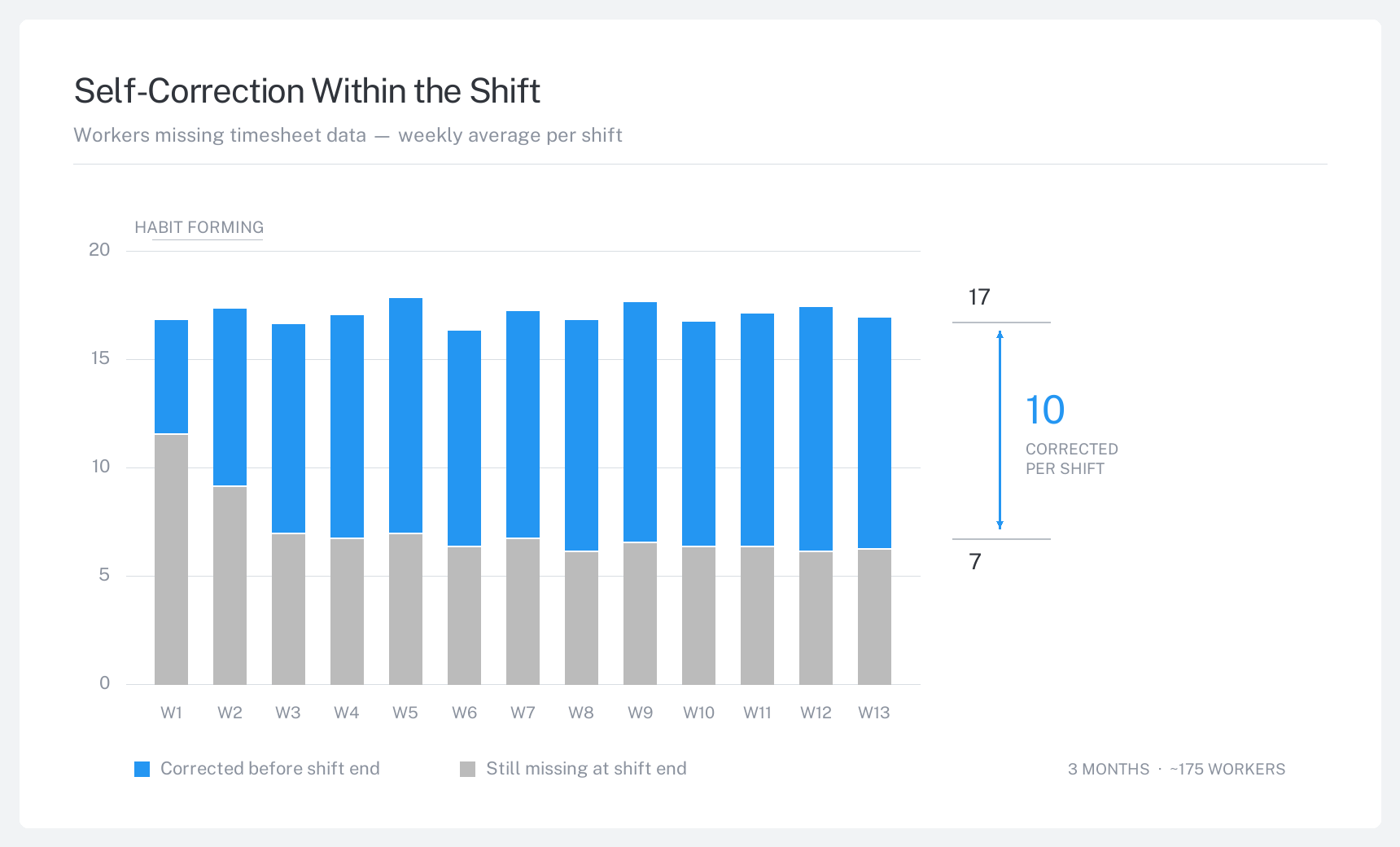
Workers often discovered a missed clock-in or clock-out only after leaving the site, when correcting the record was harder. I focused this challenge on surfacing the issue during the shift, so workers could self-correct before they left.
Timesheet corrections were a small issue that compounded. Addressing this could save manufacturers and agencies time and money. Starting small with our pilot site would allow the testing and iteration required to scale up to broader issues.
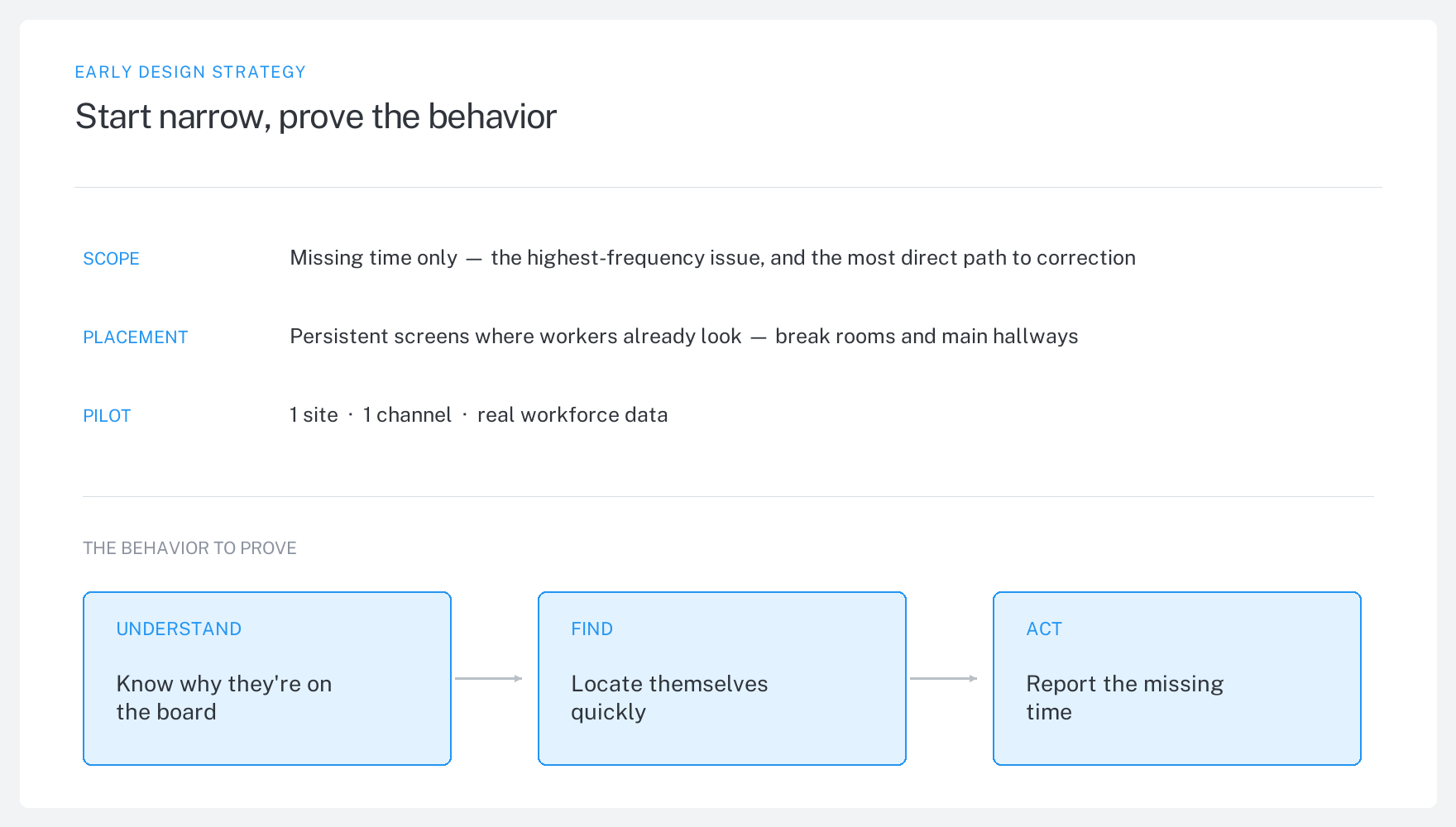
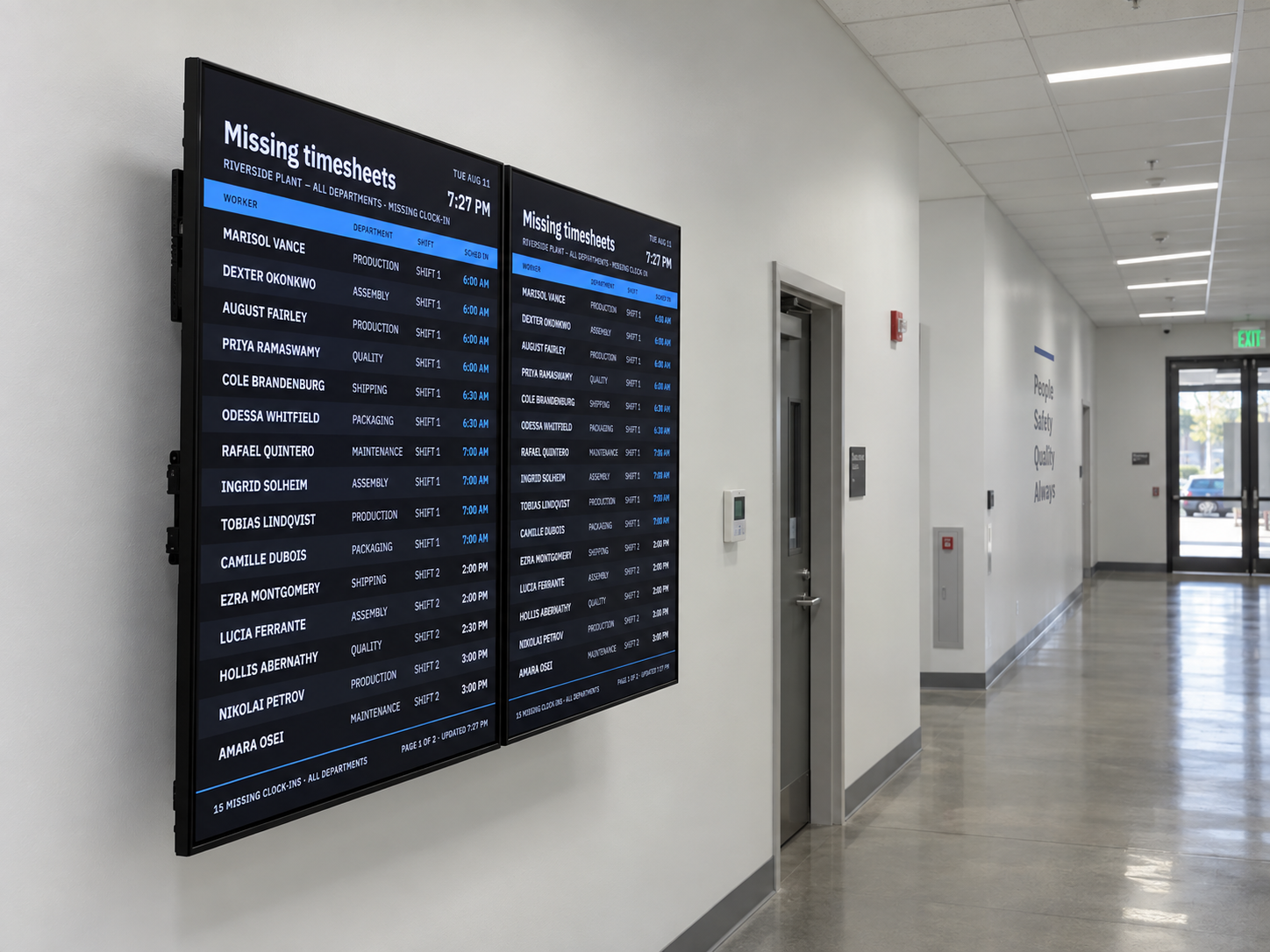
I tested an early version with workers at the pilot site. Their reactions showed three problems that I needed to fix.
Some workers thought appearing on the board was a good thing. I changed the labels, instructions, and status styles to make the purpose clear.
Customers had varying policies about displaying personal info, so the identity block became a flexible unit using worker ID and initials.
Everything had to survive a walk-by in a crowded hallway. Columns were consolidated and labels compressed into acronyms that stayed obvious.
Engineering could not add analytics during the pilot, so I tracked two things: open timekeeping problems at the start and end of each shift, and how long unassigned workers waited for work.
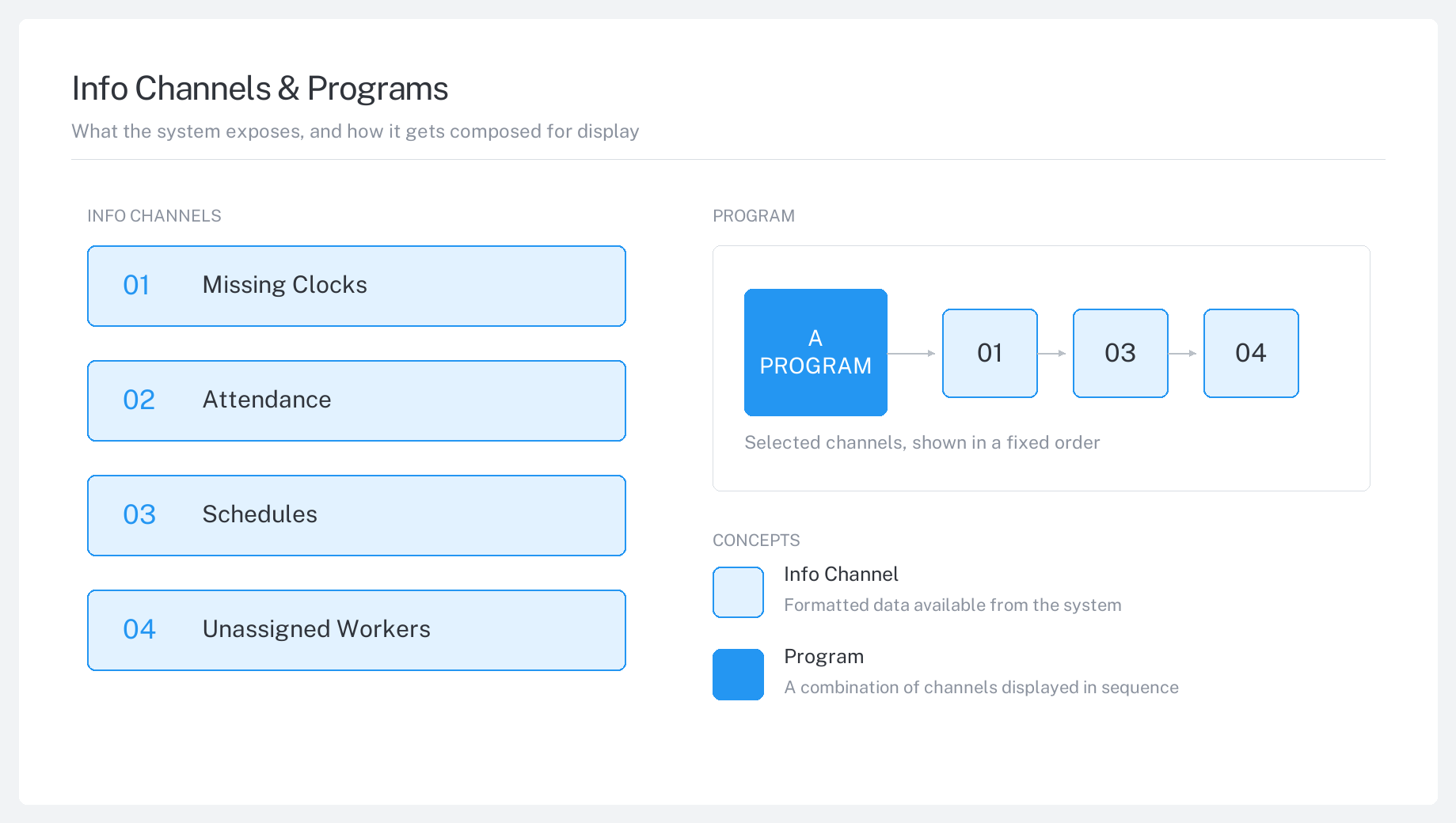
The pilot worked, but factories had different screens, locations, and audiences. I needed the system to be flexible enough to address the needs of different work sites. I designed three parts: a channel holds one type of content, a program groups channels into a playlist, and a device plays that playlist.
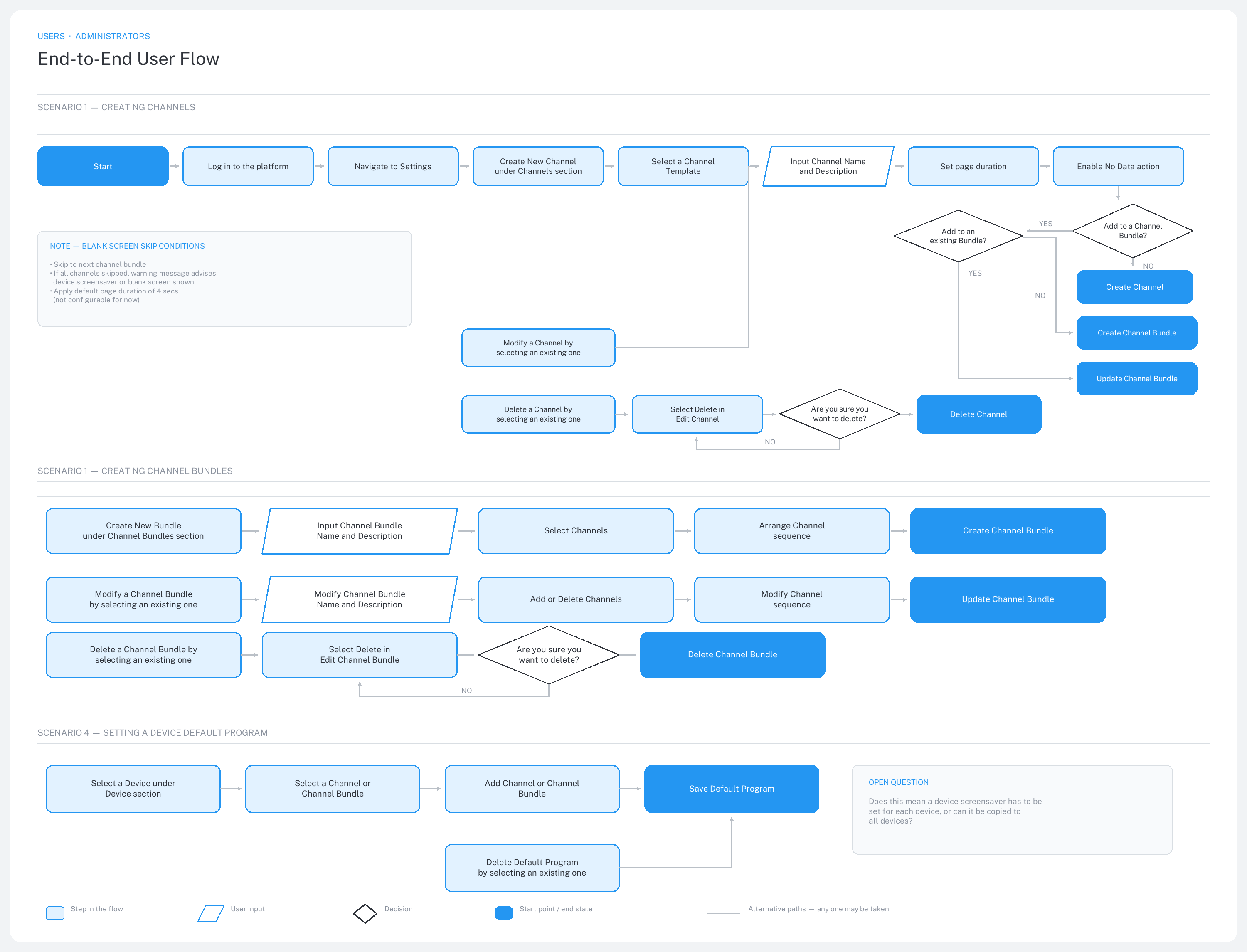
Before designing screens, I mapped every task an administrator needed to complete. This included creating content, grouping it into a playlist, and choosing what a device shows by default.
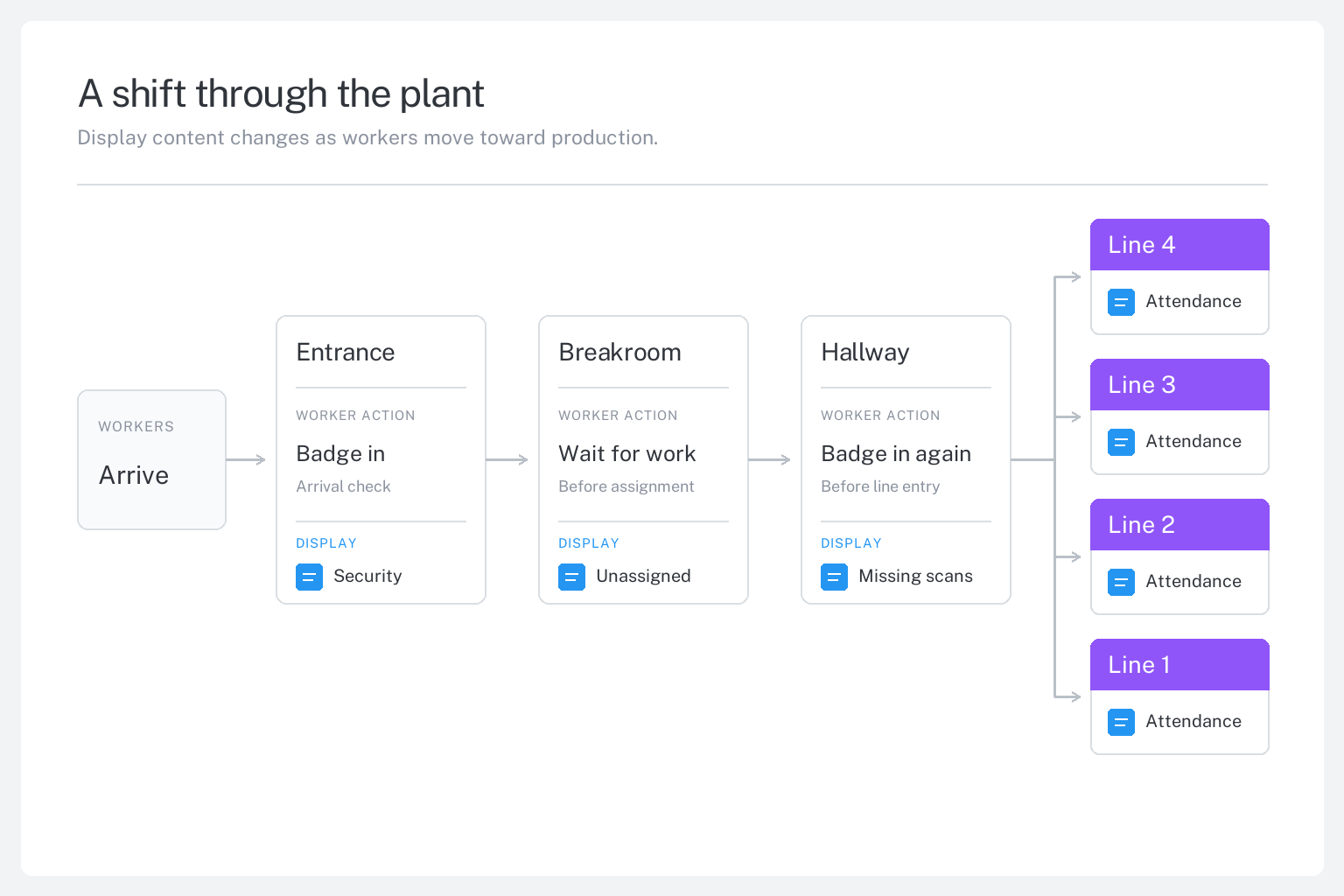
I mapped the worker journey from arrival to production to identify what information would be most useful at each stop.
I turned each task into a screen that local administrators could use without support. They could add hardware, see what each screen was showing, and choose its default content.
Each type of content needed different data, filters, timing, and privacy rules. I put those choices into channel setup. Administrators would get the autonomy to make adjustments instead of waiting for the product team to build a new screen.
The comprehensive configuration pushed important settings below the fold, so users had to scroll to find them.
Template selection and categorized settings helped administrators focus on the options that mattered for each use case.
The finished flow adapts to each channel’s data and rules, helping administrators configure and publish useful content with confidence.
A channel holds one type of content and controls how long it stays on screen. A bundle puts several channels into a repeating playlist. This gave each factory a simple way to manage the screens it already had.
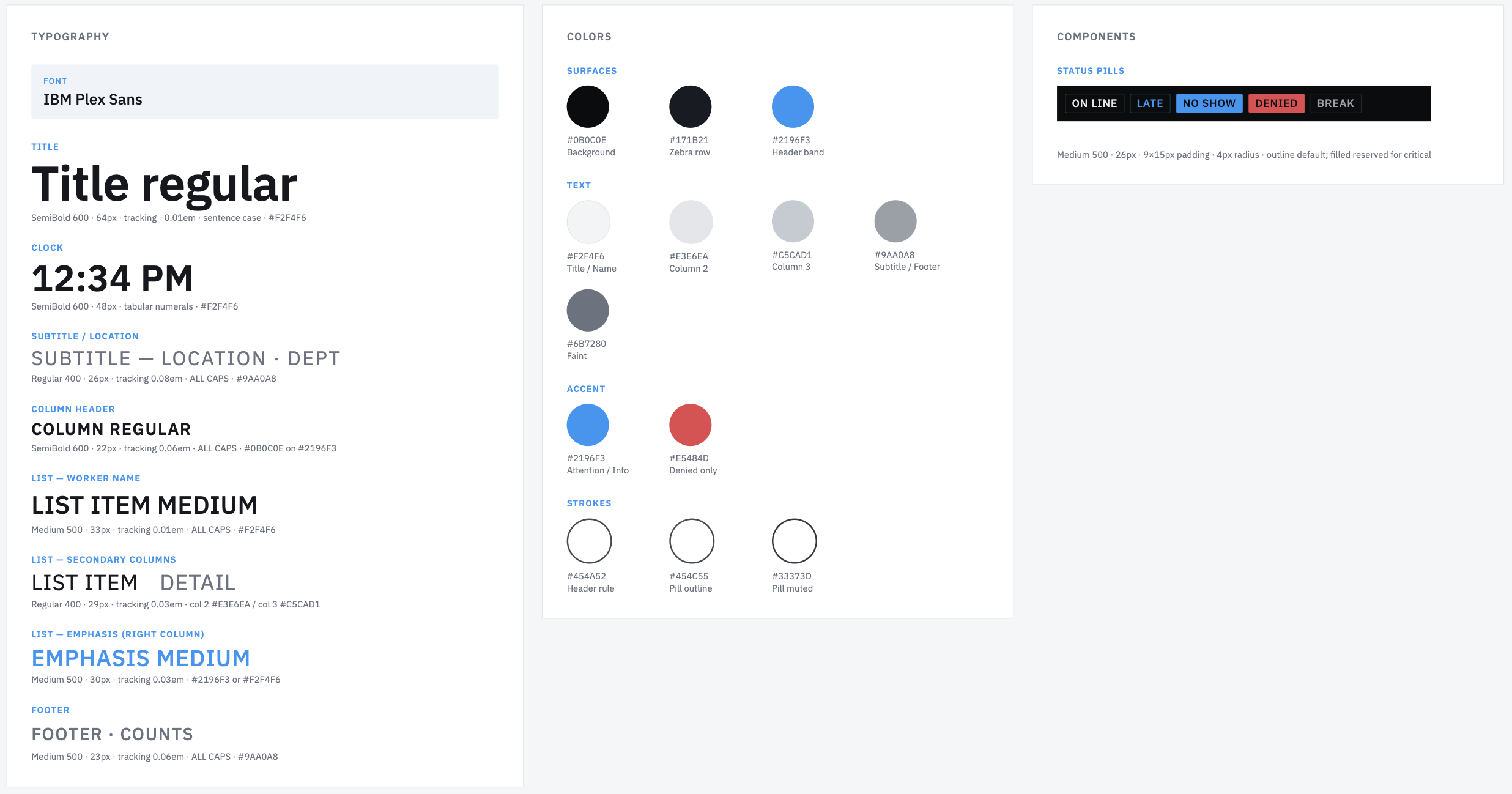
Each channel served a different need, but workers saw them on the same screens. I created shared rules for type, spacing, status, and privacy so every channel felt familiar. With a design system in place, I could scale to support new use cases and operational data quickly while maintaining consistency.
Factories asked for schedules, safety notices, open positions, access updates, and attendance. Schedules were a clear test case. Every site posted paper assignments that became outdated as soon as staffing changed.
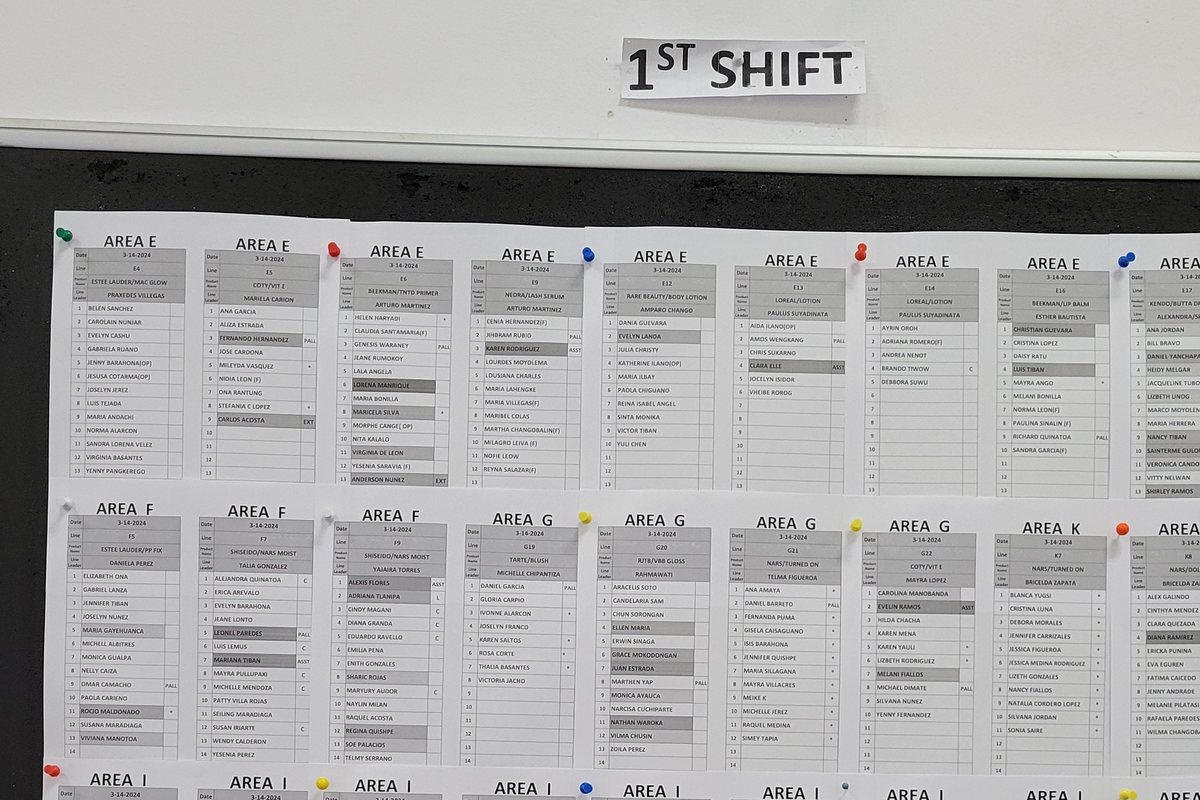
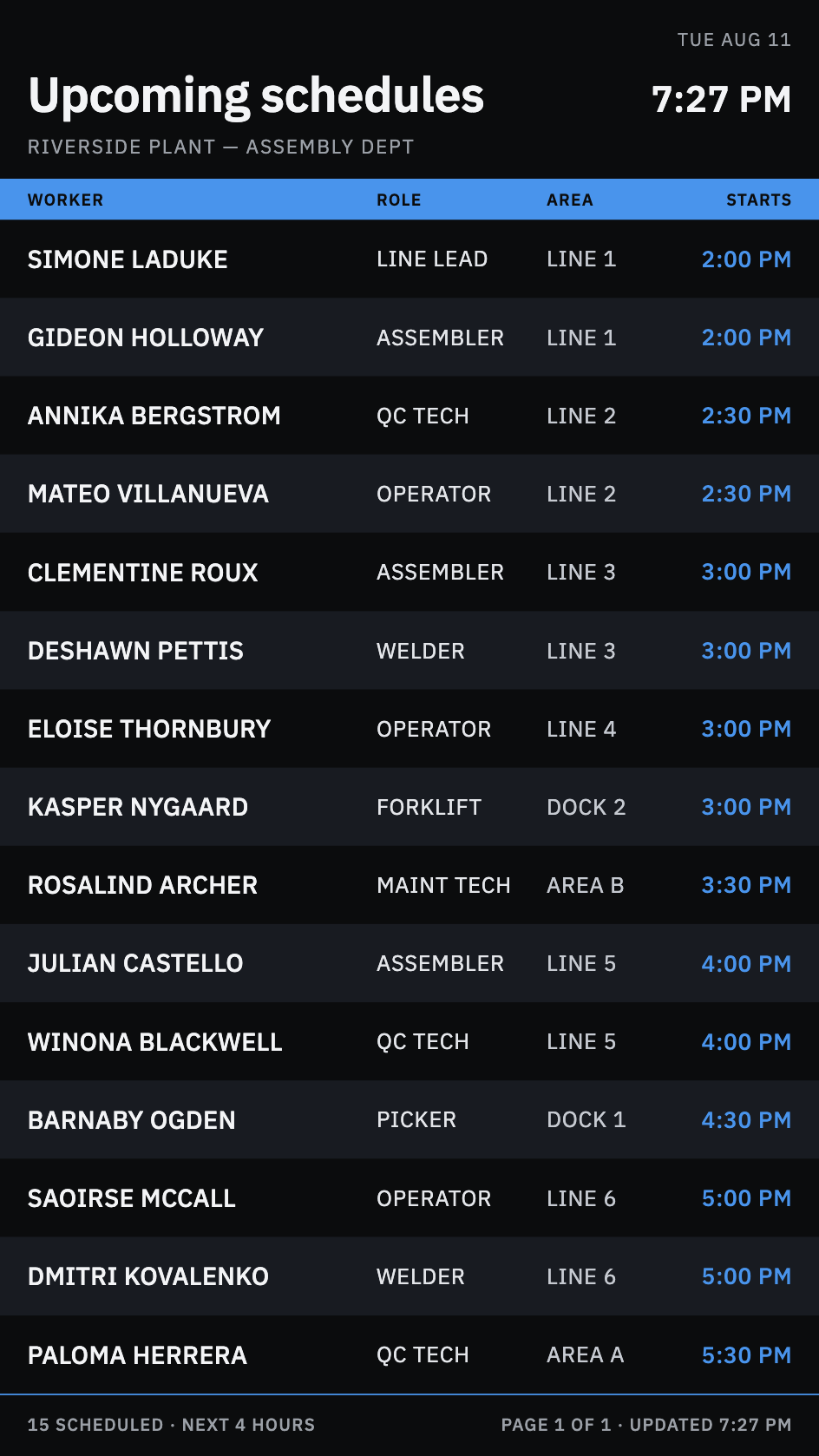
The audience of these displays changes through each day. Every shift brings new workers, and different information is relevant to them before, during and after those shifts. Scheduling would also enable temporary messages for special events and safety information.
I interviewed operations teams to understand weekly routines, shift changeovers, and schedule exceptions and updates. I led workshops with the product team to define the information architecture, workflow, and feature support for the scheduling overhaul.
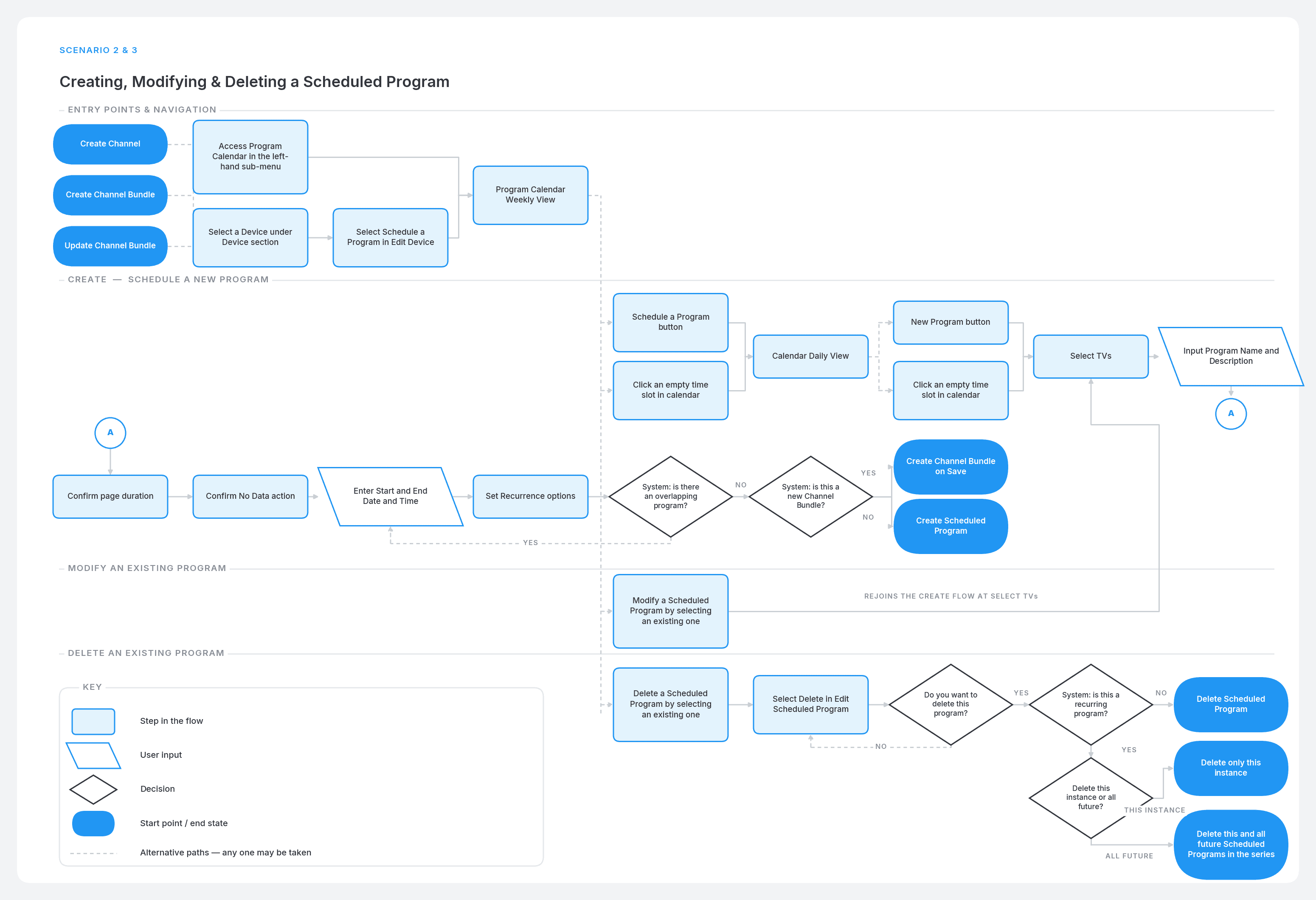
Everyone has used a calendar before, so administrators could start scheduling content for their devices quickly and without assistance. I designed scheduling to support easy setup of repeating schedules that align with shifts and gave devices default programs as a catch-all, making scheduling optional.
Program configuration let administrators create custom bundles during scheduling.
The redesigned flow supports scheduling across multiple devices, surfaces conflicts, and limits content to pre-built bundles to keep setup simple.
The final scheduler gives administrators one familiar view to coordinate programs across devices, review timing, and manage schedule changes.
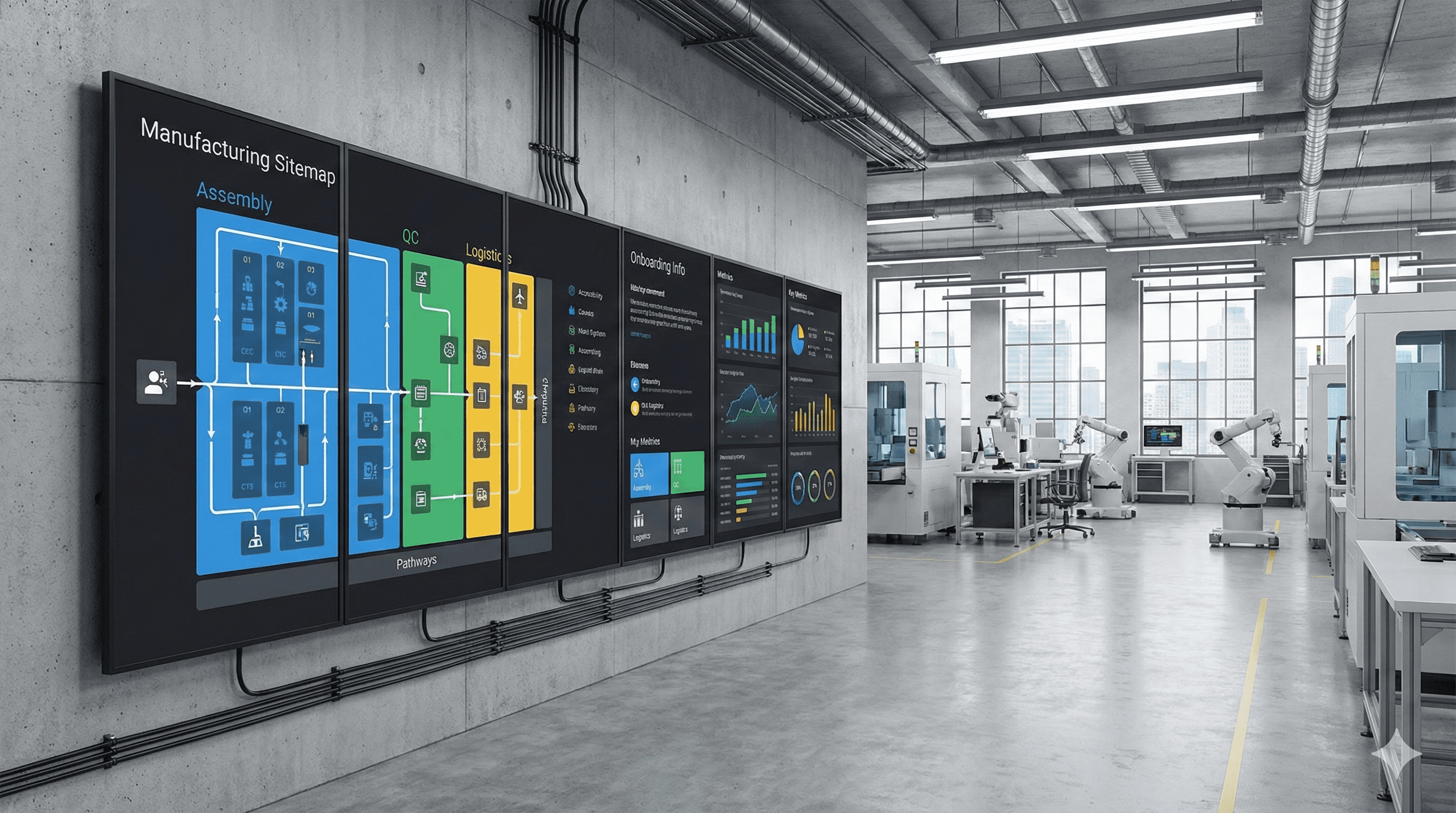
The same screens could show urgent messages, onboarding instructions, wayfinding and digital signage for larger sites, and company announcements.